Database
Every Supabase project comes with a full Postgres database.
Introduction
Supabase allows to create an account with a free plan (Free).
Sign in: supabase.com/dashboard
Create a project:
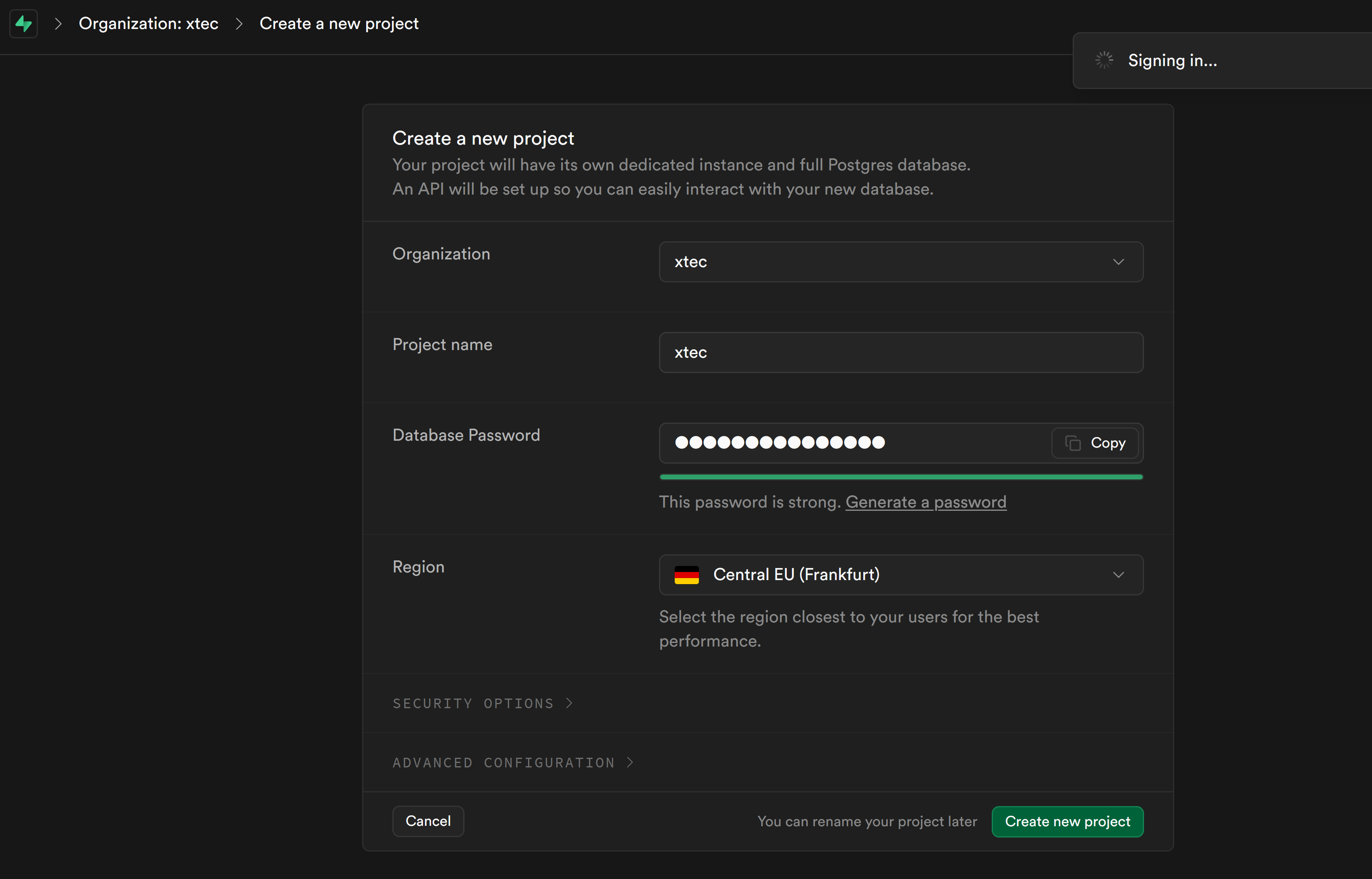
Overview
https://supabase.com/docs/guides/database/overview
Connect
https://supabase.com/docs/guides/database/connecting-to-postgres
The direct connection string connects directly to your Postgres instance.
The connection string looks like this:
postgresql://postgres:[YOUR-PASSWORD]@db.apbkobhfnmcqqzqeeqss.supabase.co:5432/postgresGet your project’s direct string from the Database Settings page:
- Go to the
Settingssection. - Click
Database. - Under
Connection string, make sureDisplay connection pooleris unchecked. Copy the URI.
Direct connection string
-
https://supabase.com/docs/guides/database/connecting-to-postgres#direct-connections
-
https://supabase.com/docs/guides/database/tables?queryGroups=language&language=kotlin
Automated backups using GitHub Actions
Backup
In order to backup your Supabase database, you’ll need to use the pg_dump command.
Make sure you have postgres installed on your machine.
The format of a Supabase PostgreSQL connection string is similar to a standard PostgreSQL connection string.
It typically includes the following components:
postgresql://myuser:mypassword@db.myproject.supabase.co:5432/mydatabaseRemember to replace myuser, mypassword, db.myproject.supabase.co, and mydatabase with your actual
database credentials and details. Also, ensure that your connection string is kept secure and not exposed
in your application code or any public repositories.
Now, let’s execute the pg_dump command to backup your Supabase database:
Or using the connection string:
You're reading a preview.
Sign in with Google to read the full page. Follow the learning path — each page opens once you've read the ones it builds on. Students and teachers read their course pages without limit.
Sign in