WebSockets provide a full-duplex communication channel through a single TCP/IP socket connection.
Introduction
WebSockets revolutionized the web, turning clunky, slow real-time interactions into sleek, low-latency experiences.
WebSocket is a persistent connection between client and server. WebSockets provide a full-duplex communication channel (allows communication in both directions simultaneously) through a single TCP/IP socket connection.
Thanks to WebSocket connection, client-server communication can happen in real-time (unlike HTTP with timings on each request/response), similar to UDP, but with the reliability of TCP. So it is broadly used in chat, gaming, and stock market browser-based applications.
WebSocket starts from a handshake, followed by basic message framing:
Handshake
A WebSocket connection is established by upgrading an HTTP request.
A client (in most cases, the client means a web browser) that supports WebSocket API and wants to establish a connection should send an HTTP request with WebSocket-specific headers:
Connection: keep-alive, upgrade | > common value for this header is «keep-alive» to make the connection persistent, which allows subsequent requests to the same server. «Upgrade» value pushes to upgrade a connection to a different protocol |
Upgrade: websocket | Specifies a protocol to updated |
Sec-WebSocket-Key: key | It is a one-time random value generated by the client to confirm that it is entitled to request an upgrade to WebSocket |
Sec-WebSocket-Version: number | Specifies the WebSocket protocol version the client wishes to use. |
The minimum required request looks like this:
GET /socket HTTP/1.1Host: polkadot.webapi.subscan.ioConnection: keep-alive, upgradeUpgrade: websocketSec-WebSocket-Key: N509hQQwSFGfanhbxP3F6g==Sec-WebSocket-Version: 13If everything goes well, the server will answer with «HTTP 101 Switching Protocols» response code with the additional headers:
Connection: upgrade | |
Upgrade: websocket | |
Sec-WebSocket-Accept: key | Informs that the server is willing to initiate a WebSocket connection. |
You can explore WebSocket resources in DevTools and even interact with them in the Console tab through WebSocket API.
Open the WebSocket connection:
const ws = new WebSocket('wss://polkadot.webapi.subscan.io/socket');On the Network tab, you can watch the WebSocket connection in action:
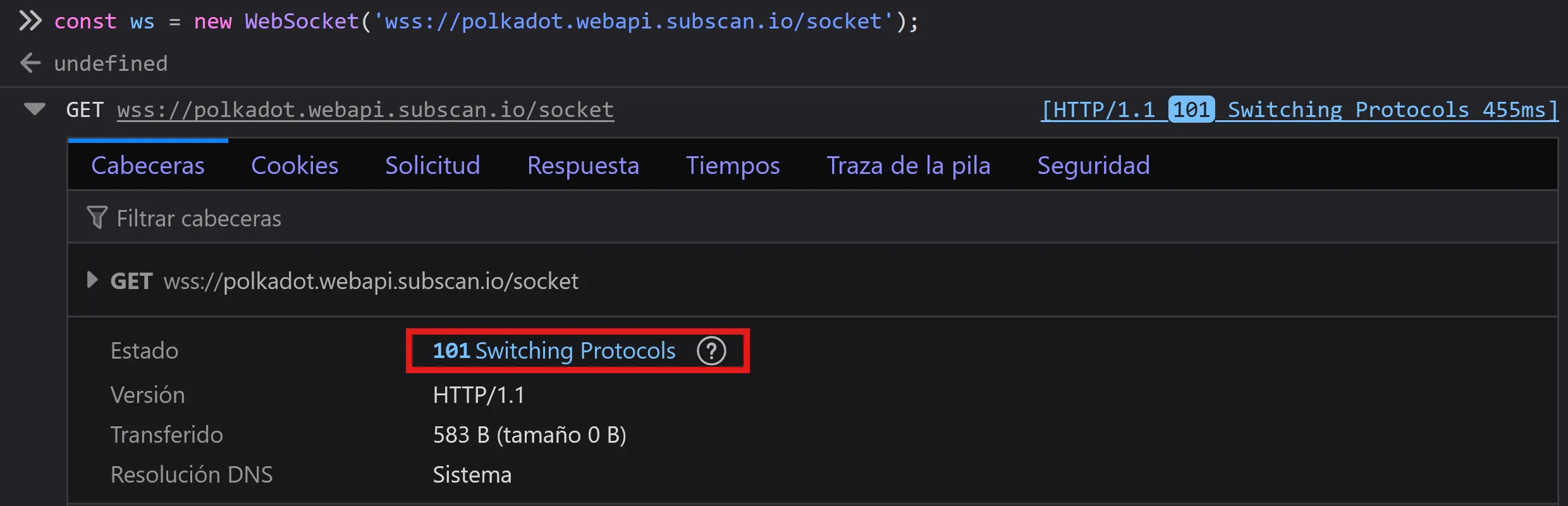
After the client gets the server response, the WebSocket connection is open to start transmitting message-based data according to WebSocket Protocol. Without going into details, the «message-based data» means a payload/body (in most cases, it is a text) inside messages between client and server.
ws.onmessage = function (e) { console.log(e.data) };Here, the server constantly sends messages to the client. In this case, text messages are parsed in JSON format, but it does not involve transmission in any particular format
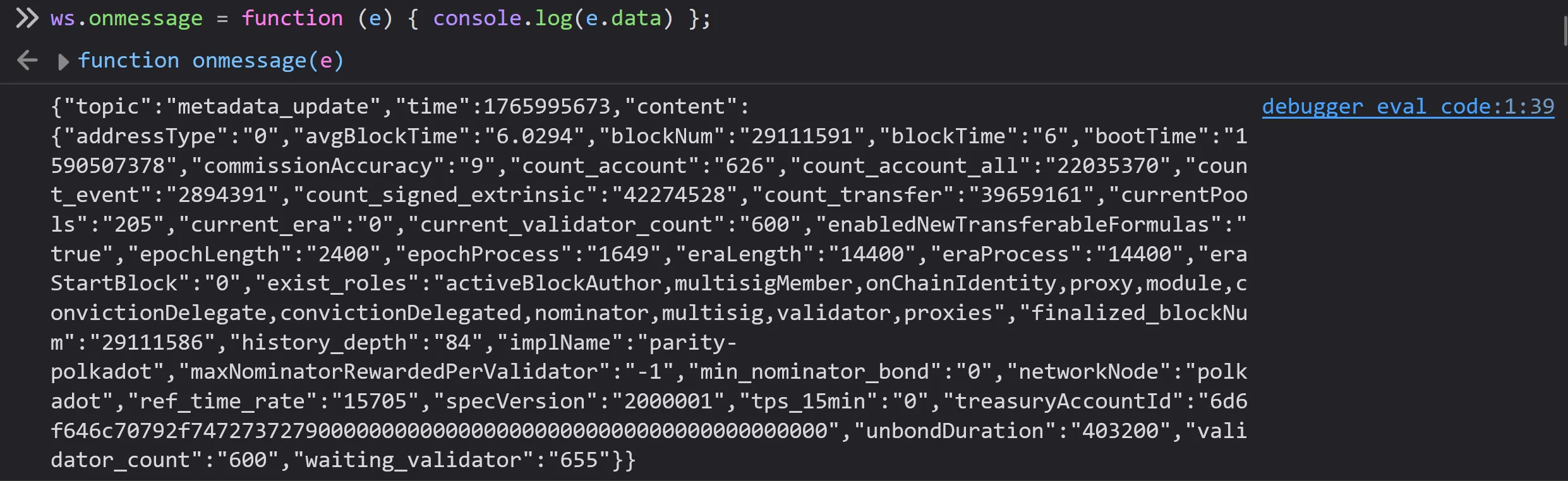
As soon as both sides acknowledge that the WebSocket connection should be closed, the TCP connection is terminated.
ws.close();websocat
websocat is a versatile command-line tool for testing WebSocket servers.
You can download it from the GitHub releases page.
Download (Windows):
curl -O websocat.exe https://github.com/vi/websocat/releases/download/v4.0.0-alpha2/websocat.x86_64-pc-windows-gnu.exeConnect to public echo server (Ctrl+d to quit):
.\websocat.exe ws://ws.vi-server.org/mirror123123ABCABCWebSocket.org
WebSocket Echo Server. The WebSocket Echo Server at echo.websocket.org is a free, publicly available testing endpoint that has become an essential tool for developers working with real-time web technologies. This server provides instant echo responses for WebSocket connections, Server-Sent Events (SSE), and standard HTTP requests, making it invaluable for testing, debugging, and validating real-time implementations.
Connect to echo server with websocat.
.\websocat.exe wss://echo.websocket.org