Auth
- Go to the Firebase Console (https://console.firebase.google.com/).
- Navigate to Authentication Sign-in methodd
- Enable Google as a sign-in provider and click Save.
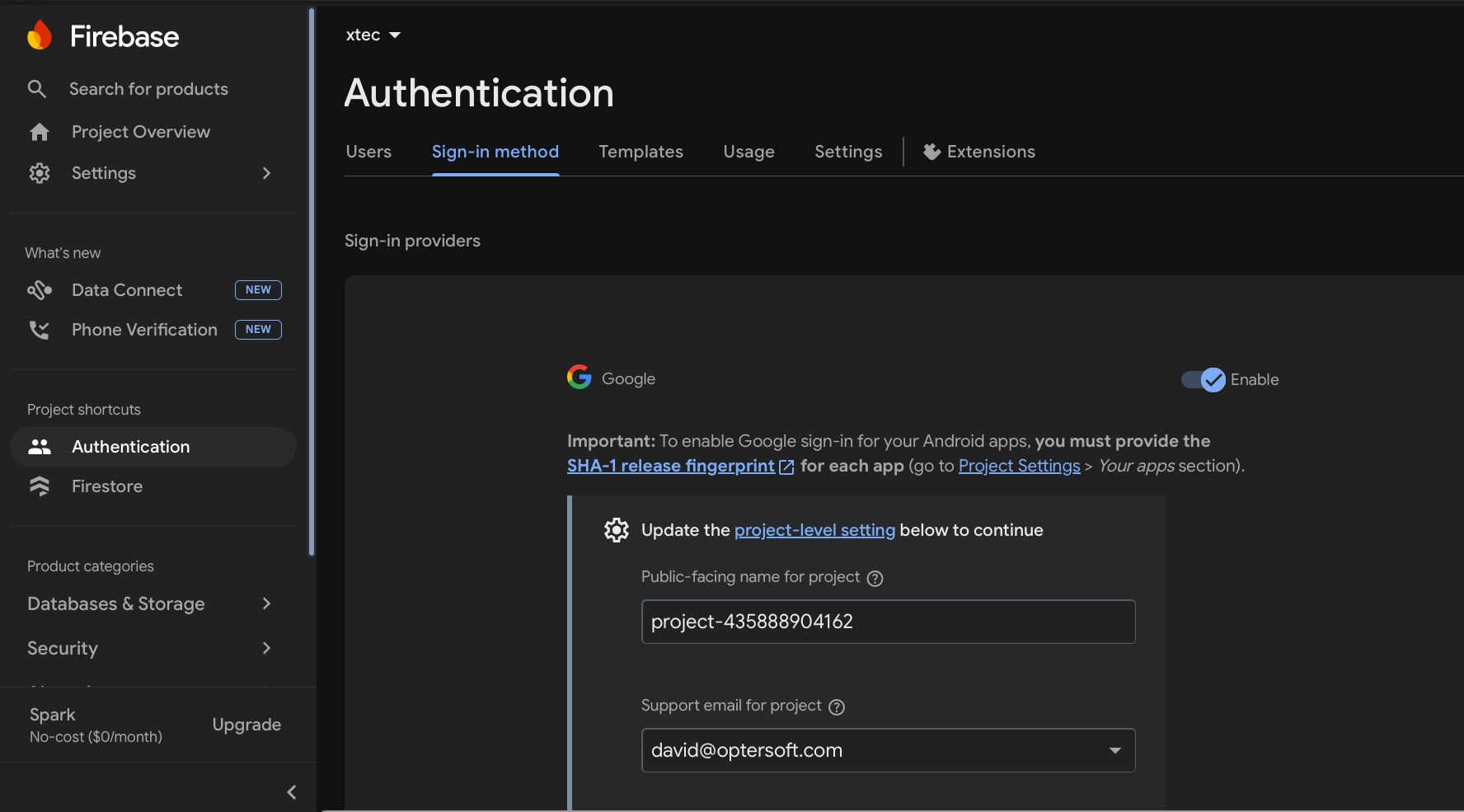
- Ensure a Support Email is selected in the Google provider settings.
Estàs llegint una vista prèvia.
Inicia sessió amb Google per llegir la pàgina completa.
Inicia sessió amb GoogleEncara no has enllaçat el compte? Entra un cop a l'Escola amb el Moodle del centre.