Basic
Introduction
Opencode is a free and open-source AI programming assistant.
It provides a local TUI (terminal user interface) that connects to various LLM providers, allowing you to use AI to assist with coding tasks directly from your terminal.
Install
Desktop
Go to https://opencode.ai/download
Terminal
On Windows use Bun to install OpenCode.
On Linux and macOS use curl:
| opencode works as a single binary with no dependencies. The install script automatically detects your operating system and architecture and downloads the correct binary.
You don’t need to worry whether you’re on macOS with Apple Silicon, Linux with Intel, or WSL on Windows.
Provider
With OpenCode you can use any LLM provider by configuring their API keys.
OpenCode is an interface that talks to language models. Without configuring this connection, it cannot do anything.
/connect is an OpenCode TUI command used inside the OpenCode terminal interface to add API credentials for LLM providers.
Type /connect in the prompt
If you haven’t connected to any provider yet, it will show “No provider connected”.
When you run /connect, OpenCode will display a list of supported LLM providers.
OpenCode shows the active provider and model at the bottom of the screen.
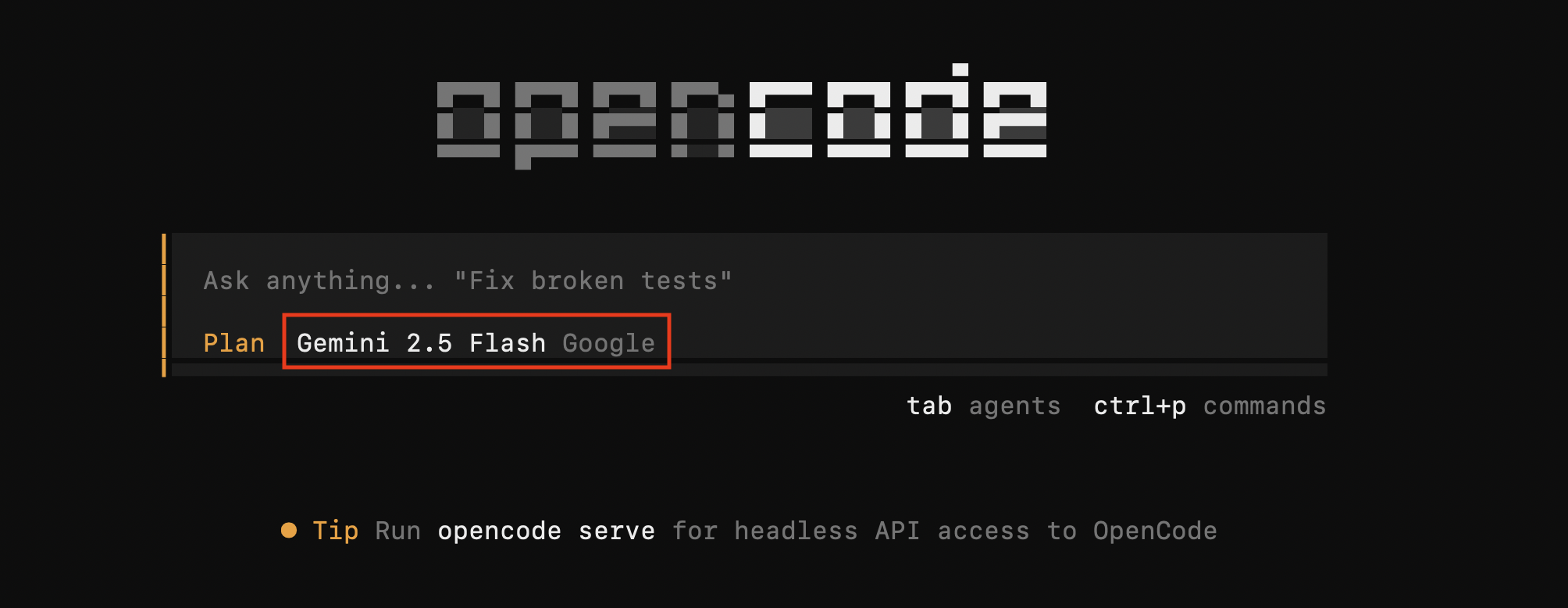
Once the provider is configured, verify it works by typing anything:
Estàs llegint una vista prèvia.
Inicia sessió amb Google per llegir la pàgina completa.
Inicia sessió amb GoogleEncara no has enllaçat el compte? Entra un cop a l'Escola amb el Moodle del centre.