Shell
The shell is a terminal that allows you to interact with the machine via typed commands.
Introduction
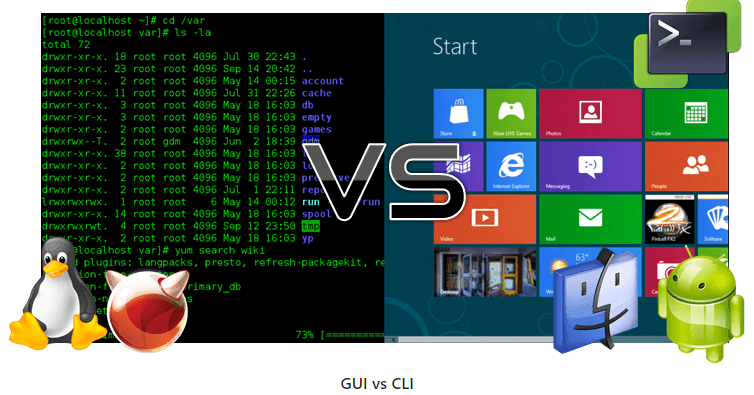
Humans and computers often interact in many different ways, such as via keyboard and mouse, touch-screen interfaces, or voice recognition systems. The most commonly used way to interact with personal computers is called a graphical user interface (GUI). With a GUI, we give instructions by clicking the mouse and using menu-based interactions.
Although the visual aid of a GUI makes learning intuitive, this way of giving instructions to a computer scales very poorly. Imagine the following task: for a literature search, you must copy the third line from a thousand text files in a thousand different directories and paste it into a single file. If you use a GUI, you’ll not only be clicking around for several hours, but you might also make mistakes during this repetitive process. This is where we leverage the Unix shell.
The Unix shell is both a command-line interface (CLI) and a scripting language, allowing repetitive tasks to be done automatically and quickly. With the right commands, the shell can repeat tasks with or without any modification as many times as we want. Using the shell, the literature example task can be completed in seconds.
Shell
Create a virtual machine with Windows Subsystem for Linux (WSL)
A shell is a program where you type commands. You can launch complex software or do simple tasks (e.g., create a directory) in one line. The most popular Unix shell is Bash (the “Bourne Again SHell”).
Using a shell takes some learning. Unlike GUIs, CLIs do not show options by default — you learn a small set of commands that go a long way. The shell’s “grammar” lets you combine tools into powerful pipelines, script your workflows, and work reproducibly. It is also the simplest way to interact with remote machines and clusters.
When the shell opens, it shows a prompt, meaning it’s ready for input:
We’ll show the prompt as $.
Type only what follows $ and press Enter to run it.
The prompt is followed by a text cursor.
Your prompt may include extra info like username and host:
That’s fine — focus on the $.
Try your first command, ls (list):
Estàs llegint una vista prèvia.
Inicia sessió amb Google per llegir la pàgina completa. Un compte de Google inclou 5 pàgines gratuïtes en total; l'alumnat i el professorat llegeixen les pàgines del seu curs sense límit.
Inicia sessió