Turtle
The turtle module provides a visual and intuitive way to introduce programming concepts through a simple, interactive graphics interface.
Introduction
The turtle module is a classic and effective way to introduce programming concepts through interactive graphics. It provides immediate visual feedback, making it ideal for beginners to explore how software works.
Originally developed as an educational tool for the classroom, turtle graphics offers a simple way to generate graphical output without the complexity of external libraries. Whether you’re teaching programming to children or just need a quick way to draw something on the screen, turtle is a joy to use due to its minimal overhead and intuitive commands.
Getting started
The turtle module exposes its basic functionality as a set of functions.
Start a new interactive Python session:
Basic drawing
Imagine a robotic turtle starting at the center of the screen (position (0, 0) in the x-y plane).
Import all the objects from the turtle module:
Send the turtle forward 100 steps:
You should see a new window appear on your display with a line drawn by the turtle, heading East.
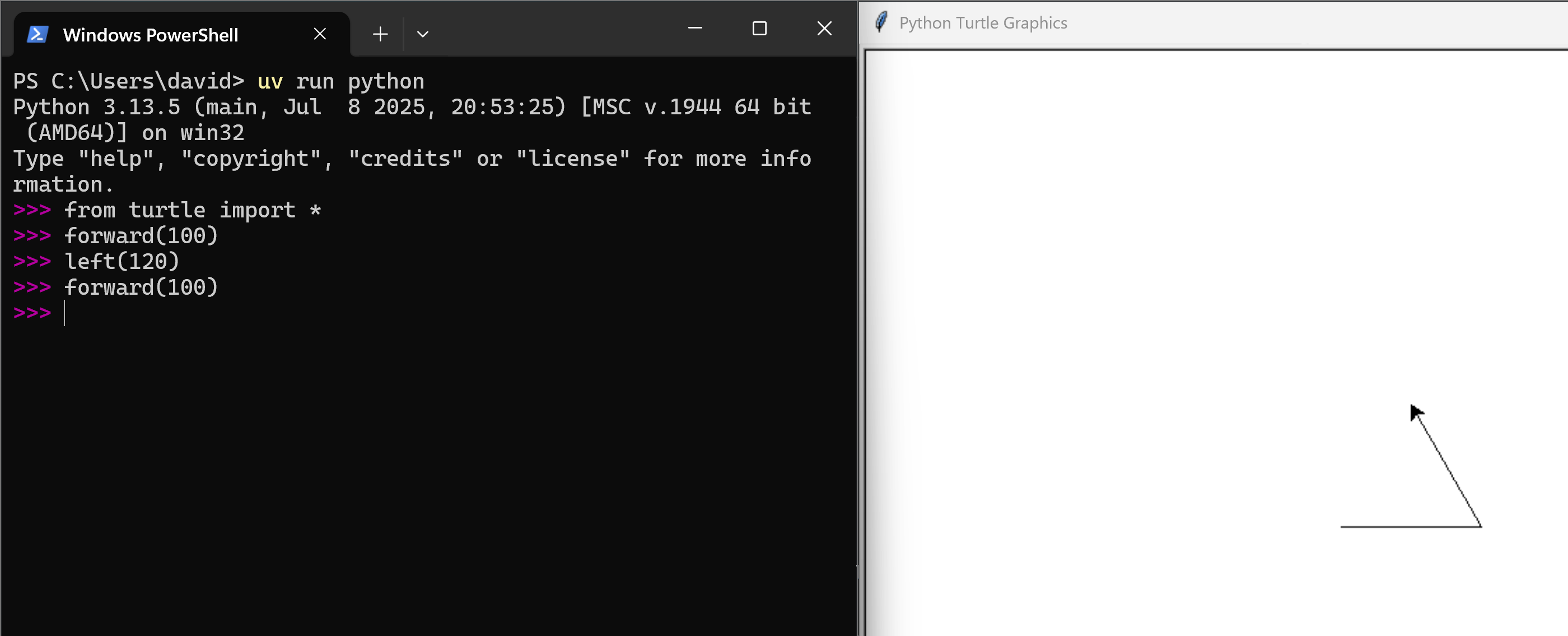
Next, we can change the direction of the turtle. Let’s make it turn 120 degrees to the left (counter-clockwise):
Estás leyendo una vista previa.
Inicia sesión con Google para leer la página completa. Una cuenta de Google incluye 5 páginas gratuitas en total; el alumnado y el profesorado leen las páginas de su curso sin límite.
Iniciar sesión